

Requirement capture with context
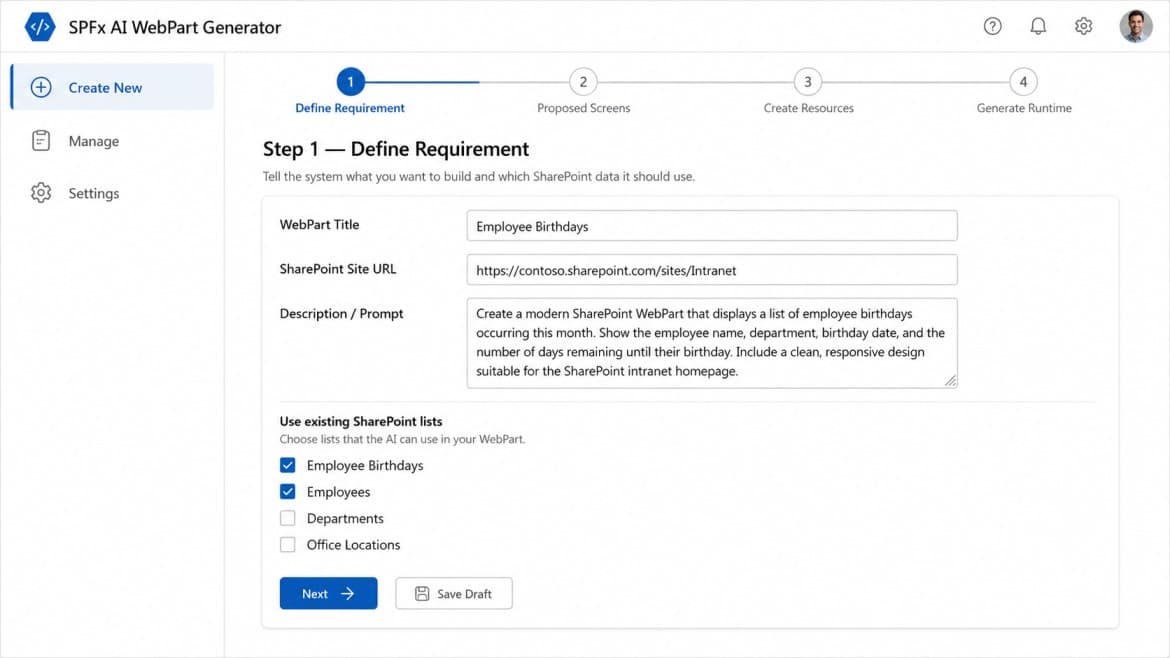
Users define the web part, point to the SharePoint site, and choose the lists the build should rely on.
SPFx AI WebPart Generator gives clients a controlled flow to define the request, inspect proposed screens, prepare the needed SharePoint resources, and receive a ready-to-use SPFx web part created with Codex-backed output.
Each stage exposes enough structure for product owners, delivery teams, and SharePoint administrators to validate what is being built before runtime files are produced.
Users define the web part, point to the SharePoint site, and choose the lists the build should rely on.
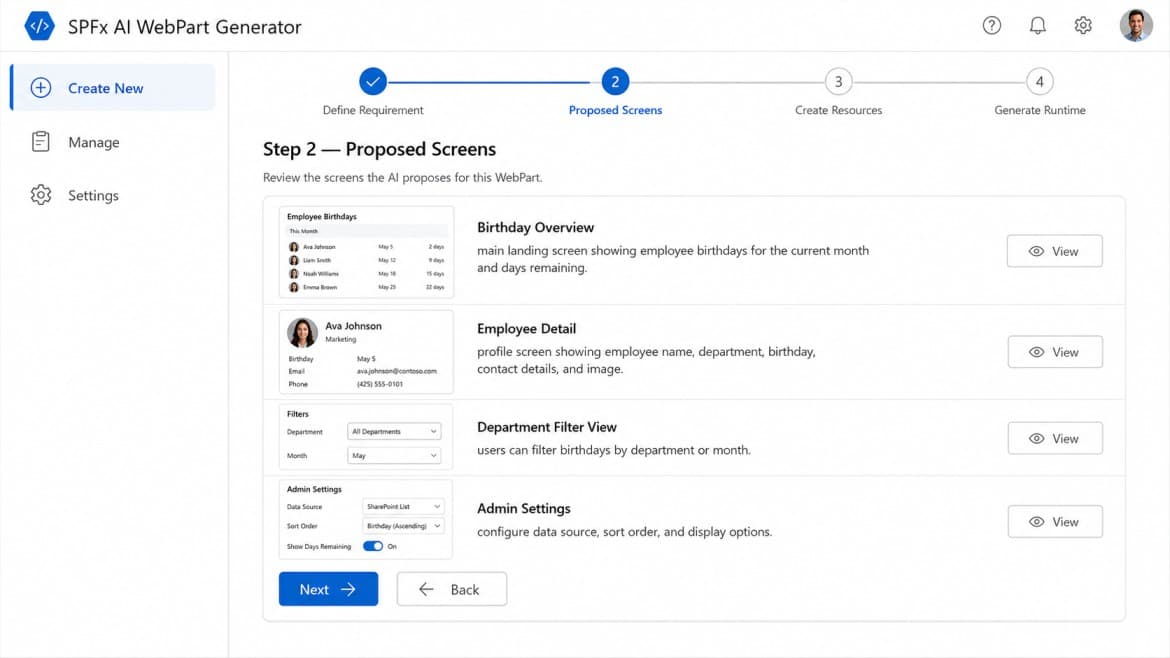
The proposed UI is broken into named screens so reviewers can approve the shape of the experience before generation.
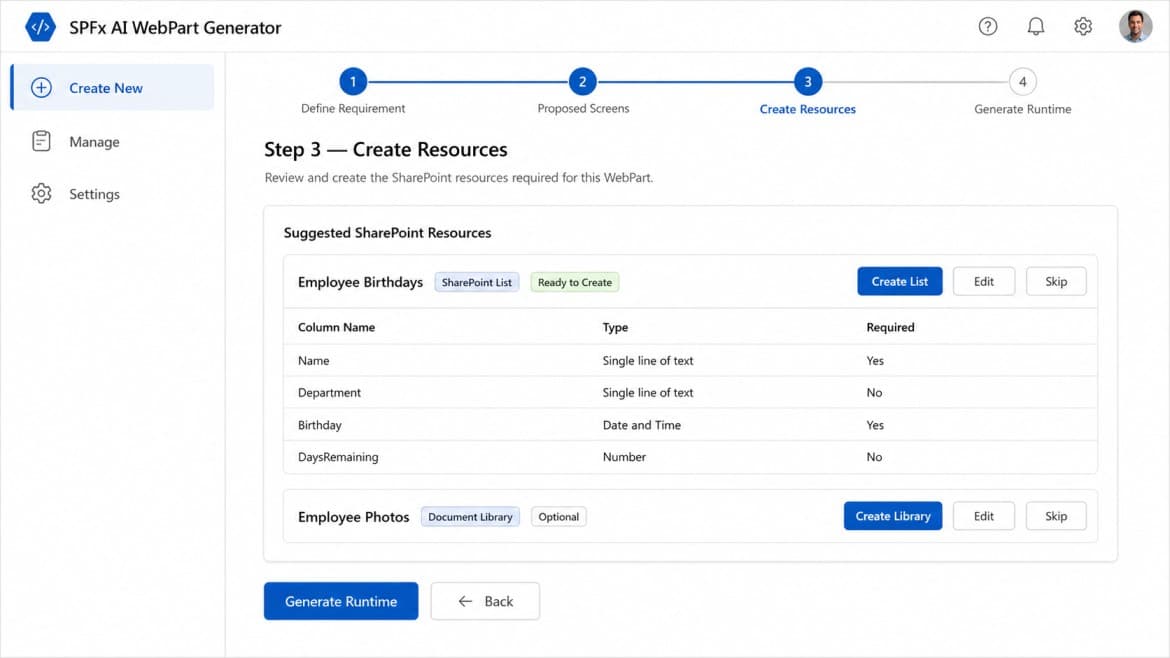
Suggested SharePoint lists and libraries are presented before runtime generation so data dependencies stay visible.
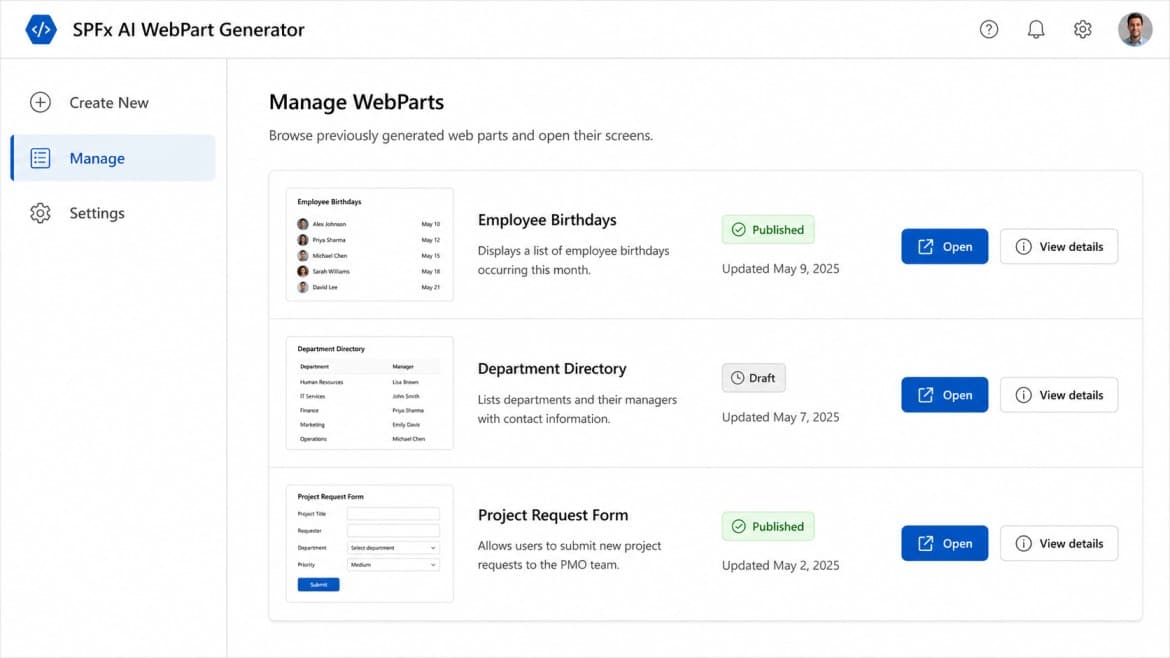
Generated web parts can be revisited from a management view with status, update history, and quick access actions.
The screenshots below mirror the full creation path shown in the reference material, translated into the existing Orcas visual language.
Step 01
The flow starts with the business request, target SharePoint site, and the lists the generated web part should read from.
Step 02
The generator breaks the experience into concrete screens so teams can inspect the UI structure before any files are created.
Step 03
Required lists and optional libraries are suggested up front, making dependencies explicit before runtime generation starts.
Step 04
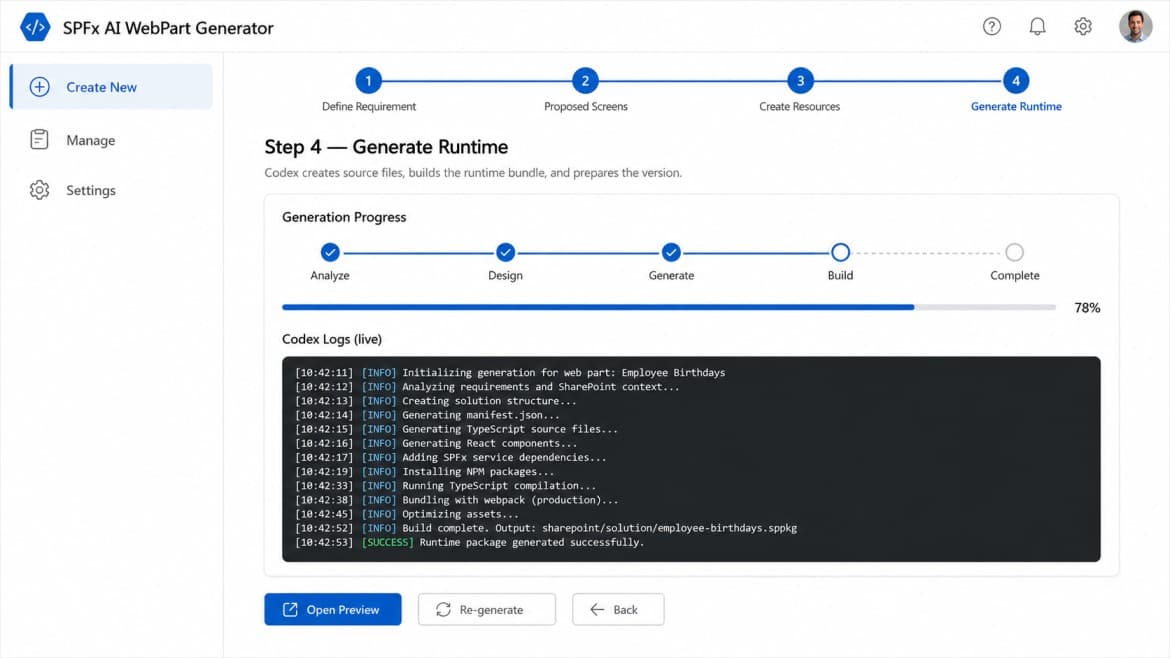
Codex-backed generation runs through analysis, design, source generation, and completion progress while surfacing live logs.
The manage view is designed for operational follow-up, not just a one-time demo. It keeps generated items visible with status and update history.
What the manage view adds
Status visibility
Published and draft web parts stay clearly separated.
Fast handoff
Open and detail actions reduce friction after generation.
Portfolio view
Multiple generated solutions can be tracked in one admin space.
SPFx AI WebPart Generator
Management
Tell Orcas what workflow, web part, or SharePoint need you want to solve.